

A spreadsheet is useful for flexible analysis and explicit calculations. A dashboard can make recurring views easier to refresh and share. Move beyond sheets when repeatability, source management, permissions, or operational handoffs become unreliable—not simply because another tool has better-looking charts.
The best workflow may use both. A dashboard can organize routine observations while a spreadsheet supports a focused calculation or a transparent reconciliation exercise.
Identify the actual reporting failure
Is the problem late exports, inconsistent formulas, unclear definitions, wrong account selection, or a report that nobody acts on? A new interface will not automatically repair those issues.
List the report's source systems, owners, update cadence, and decisions. If nobody can define “qualified lead,” connecting more data sources may make the disagreement easier to distribute rather than easier to solve.
Use the monthly reporting template to establish the desired output before evaluating a tool.
Compare operating requirements
| Requirement | Spreadsheet question | Dashboard question |
|---|---|---|
| Freshness | Who imports the latest data? | When did each source last update successfully? |
| Definitions | Are formulas and filters documented? | Can the metric's calculation be inspected? |
| Permissions | Who can view or edit the file? | Are account and workspace boundaries enforced? |
| Reproducibility | Can the exact export and formula version be recovered? | Can filters and source state be reproduced? |
| Failure visibility | Is missing data obvious? | Does a disconnected source show unavailable instead of zero? |
Do not assume automated refresh means real-time data. Ask what each source supplies and how the interface signals delays or errors.

Preserve the ability to reconcile
Keep original exports or another appropriate audit trail according to your business's data-retention policy. A combined chart should not prevent you from investigating the numbers behind it.
Check account identifiers, time zones, currencies, event definitions, and reporting windows. A dashboard can faithfully combine incompatible figures if the configuration tells it to do so.
When investigating changes, compare the performance view with the source platform's change record. Google Ads provides a history of account and campaign modifications that can help establish what changed and when. Google's change-history documentation.
Use that history as evidence of an action, not proof that the action caused a performance change. Keep the same distinction in a spreadsheet or a dashboard.
Evaluate a real task before migrating
Choose a recurring task: identify campaigns with rising qualified-lead cost and assign a review. Run it in the current workflow and the proposed one using the same authorized data and definitions.
Compare time spent, errors found, unresolved data gaps, and clarity of the resulting action. Verify that the tool makes the responsible owner and next step visible. A beautiful report that creates no decision may not justify migration.
Start with a limited, reversible scope. Keep existing reports available until the new view reconciles. Do not move private customer records into a tool merely to test its chart styling; use appropriately scoped, permission-safe data.
Keep business judgment in the workflow
A dashboard can show that qualification fell. The team still needs to inspect whether the offer changed, the service area narrowed, or inquiries were left unreviewed. Useful reporting supports that conversation rather than replacing it with a single score.
Omesta brings advertising work into a shared product workflow. Evaluate it against the actual tasks, connections, and controls available to your business, not an assumption that every external tool or spreadsheet formula has a direct replacement. Explore Omesta.
How Omesta helps with moving recurring reviews out of scattered tabs
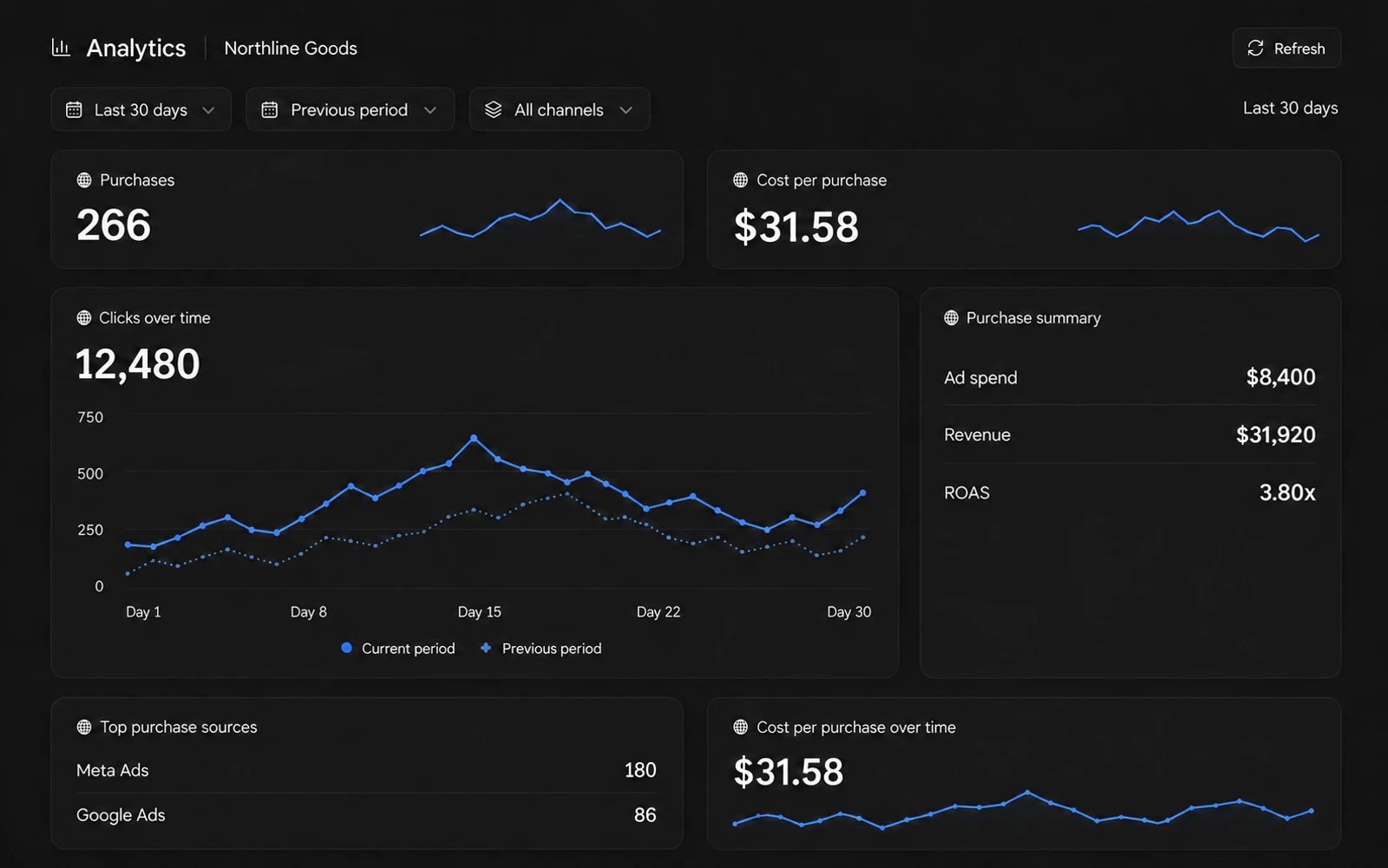
Omesta brings connected ad reporting, agent conversations and creative workflows into one product. Recent reporting improvements preserve useful source measurements when another source is unavailable. The benefit is a more coherent review process, while spreadsheets can still hold your qualification definitions or business reconciliations. Neither interface removes the need for trustworthy source data.
Explore the software-versus-agency comparison for current capabilities and the pricing page for plan limits.
Frequently asked questions
Is a spreadsheet unprofessional?
No. A clear, controlled spreadsheet can be more useful than an unexplained dashboard. The issue is whether the process stays reliable at your scale.
Should I stop exporting source data after adopting a dashboard?
Maintain the audit and reconciliation approach appropriate to your business. A dashboard should improve access to evidence, not eliminate it.
What is a good first migration?
Choose one recurring report with clear definitions, known sources, and an accountable owner. Verify it before expanding to more workflows.